Export of Diagrams to Codebeamer
LemonTree.Connect will automatically export all mapped diagrams that are contained in the package which is used for the export.
Diagrams will be exported as own dedicated tracker item along with the diagram image, which well be added as attachment. The diagram image will be embedded into the "Description" field, in order to see the diagram in the document view:
| EA | Codebeamer |
|---|---|
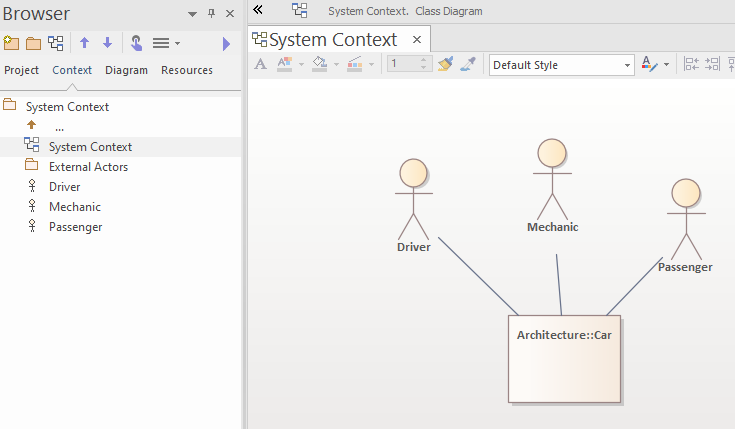 |
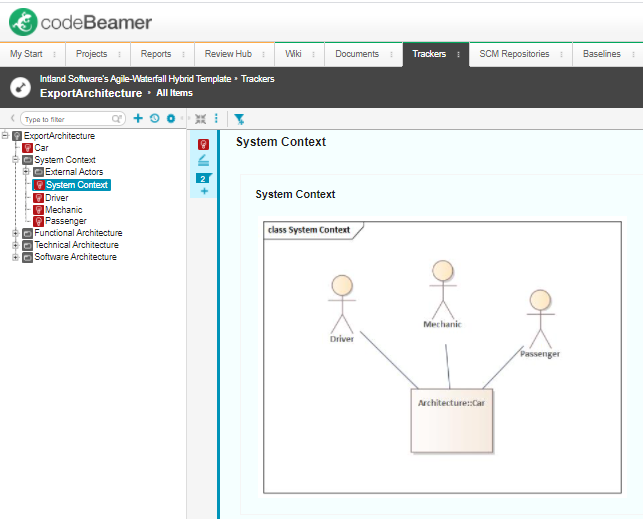 |
See Diagram Mapping on how to include diagrams in your mapping.
Attach Diagrams to elements that originate from Codebeamer
It is also possible to attach diagrams to tracker items, by creating a corresponding diagram tracker item in a separate step, with the menu
Specialize > LemonTree.Connect for Codebeamer > Attach Diagrams to Codebeamer Tracker.
This is useful if you want to enhance the description of f.e. requirements, which were imported to EA. You can add diagrams to imported requirements and export them as tracker items to Codebeamer to represent the diagrams from EA.
In order to attach the diagrams to the Codebeamer items you have to add diagram mapping rules to the mapping configuration in the package. Without a diagram mapping rule, the diagram attaching will not work.
Feature only available for import packages
Using this feature is only possible in the context of an import package. You can only attach a diagram to an element that was originally imported to EA from Codebeamer.