Exchange Format
Warning
Please note that version is a preview version. Do not use this version in a productive environment. Your feedback is highly appreciated.
How to use
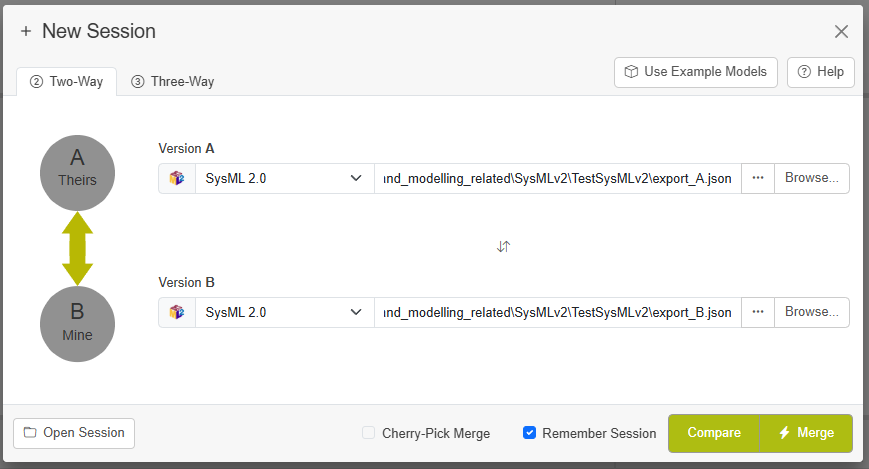
To use LemonTree for the SysMLv2 exchange format, select SysML 2.0 as file type and select a .json file from the file dialog:
Note
Please keep in mind that no diagram view or the textual rendering for comparing json files is available yet.
Base for Comparison - Identifiers in JSON File
LemonTree usually relies on identifiers to compare elements, detect changes and identify conflicts. The JSON exchange file allows to use identifiers to match sysml elements. However, some tools regenerate the IDs when exporting to JSON. If the SysMLv2 tool of your choice uses consistent IDs in the JSON export, LemonTree will be able to match those elements and perform a proper change detection. If IDs are not stable, this element will be shown as removed on one side and added on the other side.
Supported SysMLv2 types
Currently there are no known limitations.