Review Comments
Using review comments as part of a LemonTree review workflow provides several benefits beyond simply identifying model differences. They create a structured mechanism for collaboration, decision-making, and knowledge sharing.
Info
Please note that when using Review Comments and you want to export into EA, Model Security must be enabled for the Enterprise Architect model being used. For more information, see Model Security in the Enterprise Architect documentation.
Review Workflow - An Example
An example workflow for reviewing a model using LemonTree could look like this:
flowchart TD
    A["Author"] --> B["Modify Model"]
    B --> C["Create LemonTree Comparison"]
    C --> D["Reviewer Inspects Changes"]
    D --> E["Review Outcome"]
    E -- "Changes Required" --> F["Author Updates"]
    F --> C

    E -- "Approved" --> H["Merge Model"]
    H --> I["Create New Baseline"]
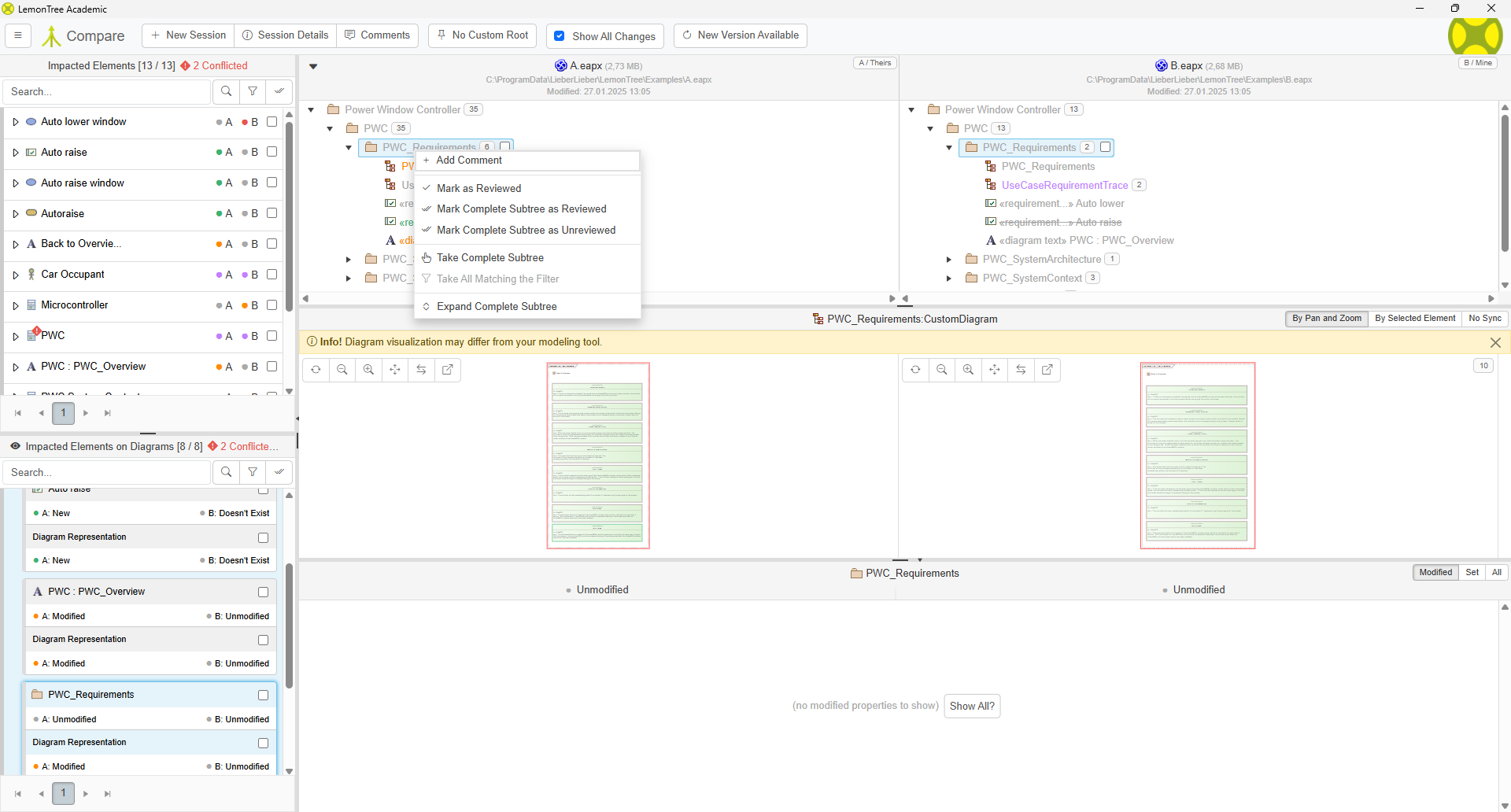
To support this workflow LemonTree allows you to create review comments for elements. To create a review comment, select the element in the model tree, rightclick and click Add Comment.
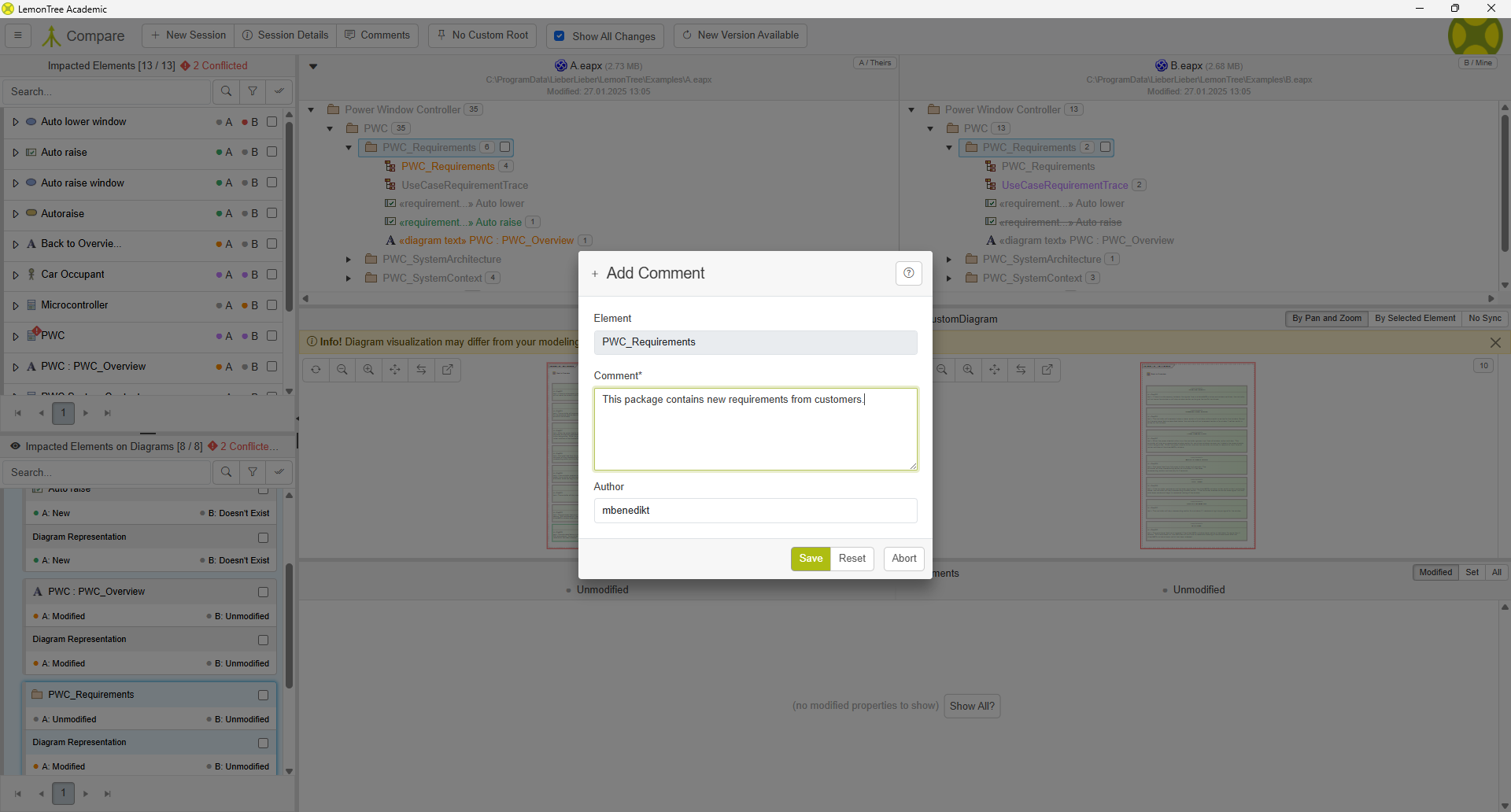
The review comments contains following information:
- Anuthor
- Comment
- Element
If you are reviewing the model and want to see review comments from your colleagues, you can identify elements with existing review comments in the model tree based on the review icon on the right side of the element.
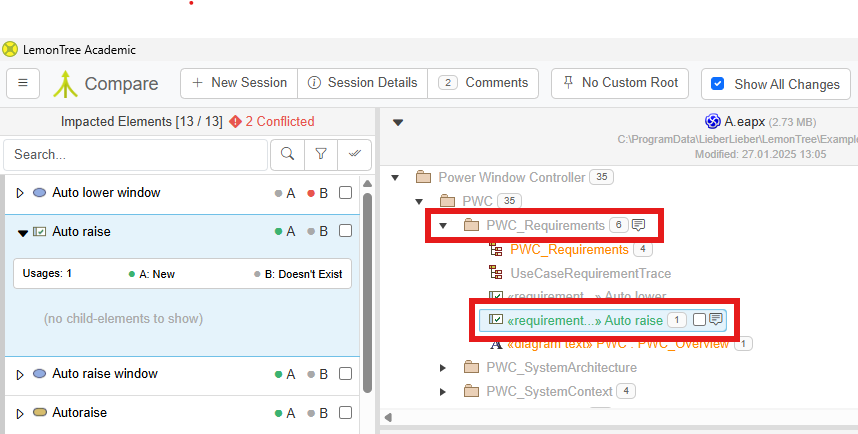
To get an overview of all existing review comments, or starting the import/export, navigate in the toolbar to the button Comments. If review comments already exist, the number of existing review comments is shown there.

Using the overview, review comments can be deleted and changed.
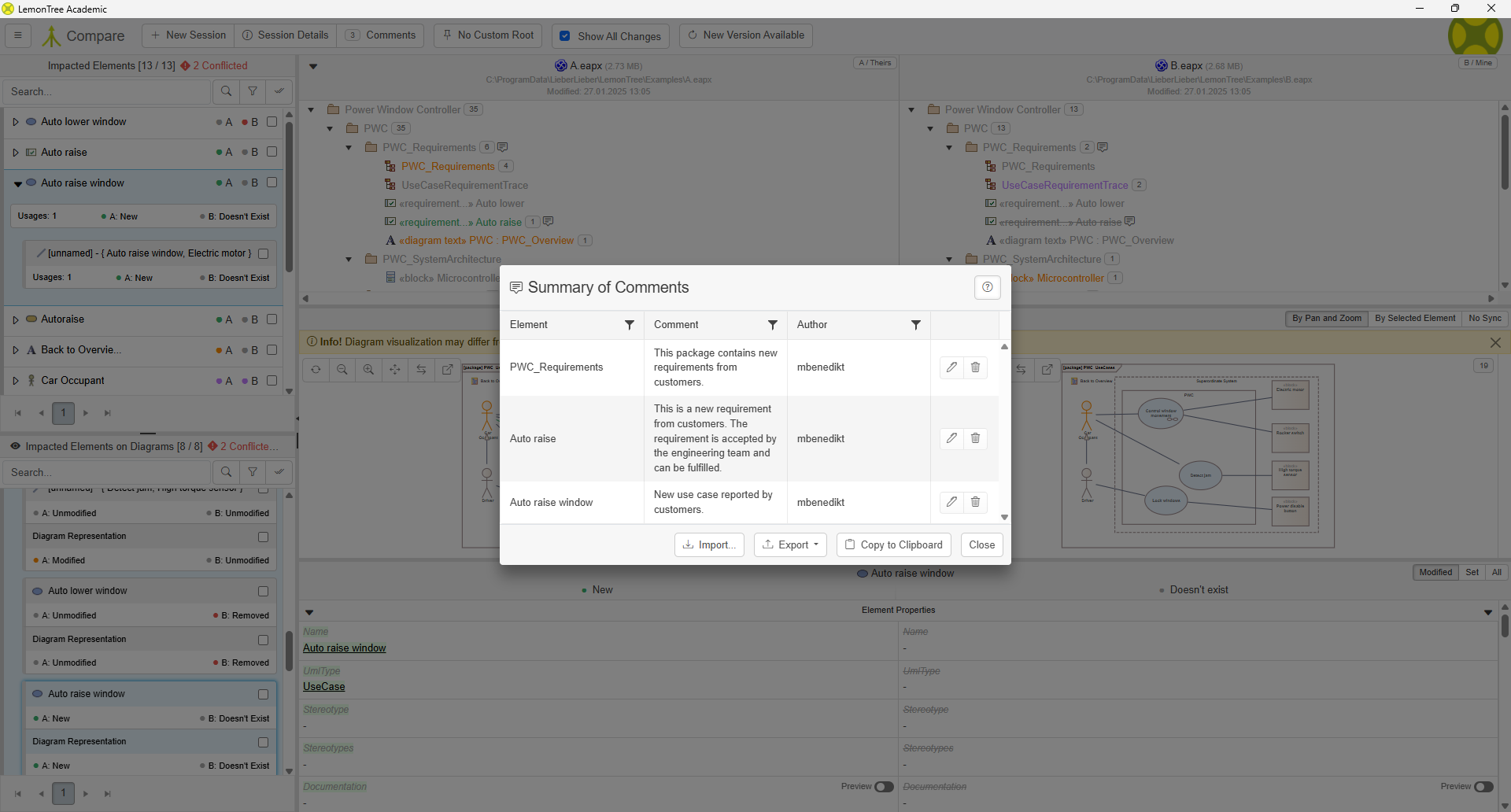
Exporting review comments can be done into an existing Enterprise Architect model or as .csv file. It is also possible to copy the review comments to your clipboard. Review comments can be saved into the session or even imported using exported .csv files.
Exporting review comments into Enterprise Architect
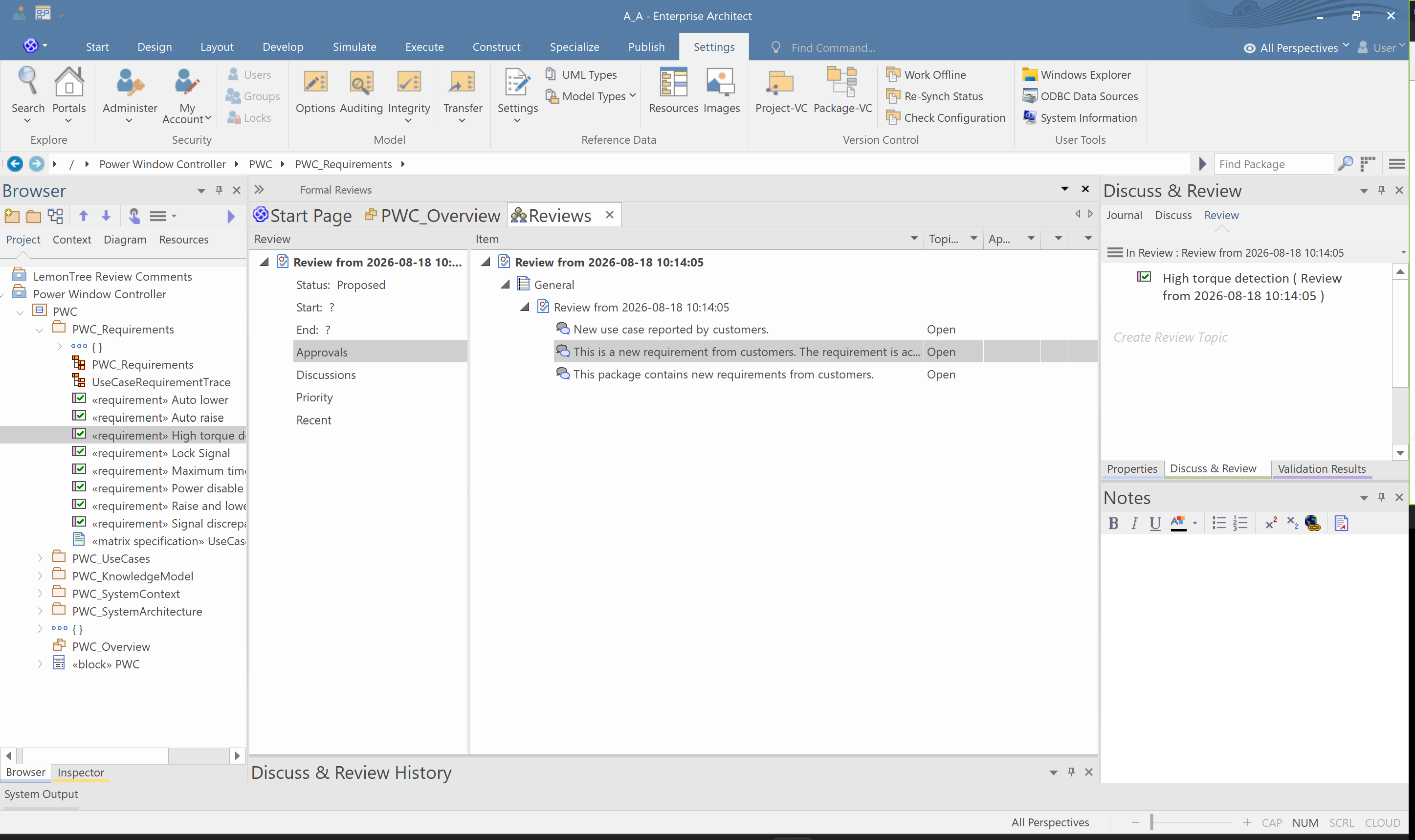
IF you want to export review comments into an EA model, make sure that Model Security is enabled for the target model. The exported review comments will be stored as review elements in EA. See Review Comments for more information.